
Integration Testing Explained: A Practical Guide for Testers

Integration testing verifies the interactions and data exchange between combined software modules or services, and it belongs in your pipeline after unit tests pass and before full system or end-to-end runs. The decision rule is straightforward: use unit tests for isolated logic, narrow integration tests for interface and boundary risks, and E2E tests for complete user journeys. According to IBM, integration testing sits in the middle of the testing pyramid, catching defects that appear at module boundaries rather than inside isolated units or full system flows. Tools like JUnit, Testcontainers, and the Jira test-management integrations covered throughout this guide make that middle layer both practical and maintainable.
Table of Contents
- What does integration testing actually cover?
- Which integration strategy fits your architecture?
- How does the integration testing workflow run?
- Integration testing vs unit testing, API testing, and E2E testing
- How do you write reliable integration tests?
- Which tools should your team use for integration testing?
- How do you set up environments and CI pipelines for integration tests?
- Why do integration tests flake, and how do you fix them?
- A worked example: e-commerce order flow
- Practitioner patterns and the modern integration testing toolset
- Key Takeaways
- The Software Testing Front perspective on integration testing
- Useful sources
- FAQ
What does integration testing actually cover?
Integration testing focuses on the seams between components, not the internal logic of any single module. Your unit tests already verify that each function or class behaves correctly in isolation. Integration tests ask a different question: do those components exchange data correctly when they run together?
The interfaces that typically fall within integration scope include:
- Database connections: Does the service write the correct row, respect transaction boundaries, and handle rollback on failure?
- REST and gRPC APIs: Are request payloads serialized correctly, and does the consumer handle the response contract as expected?
- Message brokers: Does the producer publish the right event schema, and does the consumer process it without data loss?
- File systems: Are files written to the expected path with the correct encoding and permissions?
- External SaaS dependencies: Does the adapter handle authentication, rate limits, and error responses from a third-party service?
Two misconceptions come up constantly. First, integration testing is not always black-box. Depending on how much access your team has to the codebase, it can operate as black-, grey-, or white-box testing. The focus is on the seams between modules, not on internal implementation details. Second, integration testing is not the same as end-to-end testing. An E2E test drives a full user journey through a deployed system; an integration test exercises a specific interaction point, usually with controlled doubles replacing anything outside the boundary under test.
In the test sequence, integration tests run after unit tests confirm individual components are sound, and before or alongside system-level and E2E tests. That placement is deliberate: you want fast, targeted feedback on interface risks before you invest in slower, broader test runs.
Which integration strategy fits your architecture?
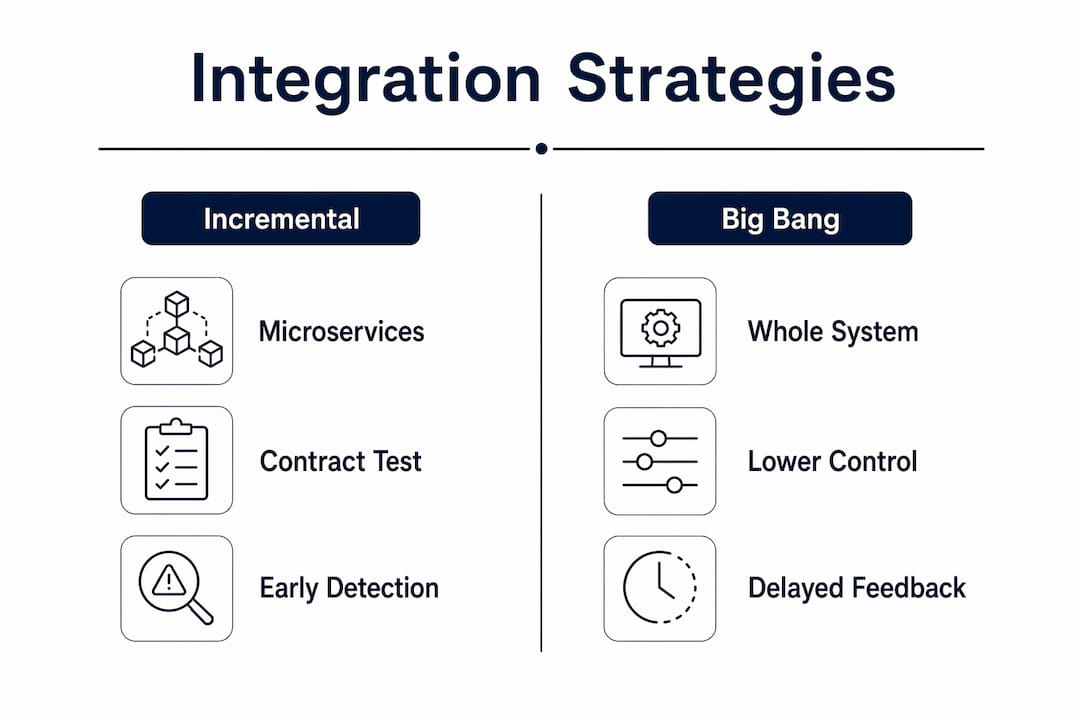
Choosing an integration approach depends on your team’s risk tolerance, the architecture you’re working with, and how quickly you need feedback. The five main strategies each make a different trade-off.
Big-bang integration waits until all modules are complete, then tests them together at once.
- Pro: Simple to organize; no stubs or drivers needed.
- Con: Defects are hard to localize, and feedback arrives late. Risky for large codebases.
- Best for: Small, simple systems where the entire codebase is available simultaneously.
Top-down integration starts with high-level modules and works down, using stubs to simulate lower-level components not yet integrated.
- Pro: Early validation of high-level logic and user-facing flows.
- Con: Lower-level modules are tested late; stub maintenance adds overhead.
- Best for: Systems where the UI or orchestration layer carries the highest business risk.
Bottom-up integration starts with the lowest-level modules and works upward, using test drivers to simulate calling modules.
- Pro: Core utilities and data-access layers are verified early.
- Con: High-level behavior is validated late in the cycle.
- Best for: Microservices or data-heavy systems where the persistence layer is the riskiest component.
Sandwich (hybrid) integration combines top-down and bottom-up, testing both ends simultaneously and meeting in the middle.
- Pro: Reduces the time to full coverage; distributes risk across the cycle.
- Con: Requires more coordination and both stubs and drivers.
- Best for: Mid-size systems with distinct UI and data tiers that can be tested in parallel.
Incremental integration adds one module at a time to an already-tested group, verifying each addition before moving forward.
- Pro: Defects are easy to localize because only one new component is introduced per cycle.
- Con: Slower overall if modules have many dependencies.
- Best for: Greenfield services and teams practicing continuous delivery, where small, frequent integrations are the norm.
For microservices architectures, incremental integration combined with contract testing tends to outperform the others. Legacy monoliths often benefit from bottom-up, since the data layer is usually the highest-risk seam.
How does the integration testing workflow run?
A repeatable workflow keeps your integration suite reliable and your CI pipeline fast. Follow these steps for each new integration test cycle:
- Identify the boundary under test. Name the two components whose interaction you are verifying: for example, the order service writing to the orders database, or the notification service publishing to a message broker.
- Define scenarios. List the happy path, at least one failure mode (network timeout, invalid payload, constraint violation), and any edge cases specific to the interface contract.
- Choose your test doubles. Decide what to replace with mocks or stubs (external payment gateways, third-party APIs) and what to run real (your own database, internal services within the boundary).
- Implement the test. Use your language’s test harness (JUnit, pytest, Jest) and spin up ephemeral infrastructure with Testcontainers where needed.
- Run in CI. Trigger integration tests after the unit test stage passes. Gate merges on a green integration run.
- Triage and report. When a test fails, log the exact request/response, the state of any shared data, and the stack trace. Link the failure to the relevant Jira issue via your test-management tool.
Pro Tip: Keep each integration test focused on a single interaction point. The moment a test requires three or more services to be healthy simultaneously, you are drifting toward E2E territory, and flakiness follows quickly. Narrow scope is the single most effective guard against brittle tests.
Integration testing vs unit testing, API testing, and E2E testing

Understanding where each test type fits prevents both gaps and redundancy in your suite.
| Dimension | Unit test | Integration test | API test | E2E test |
|---|---|---|---|---|
| Scope | Single function or class | Two or more modules at a boundary | Single service’s HTTP interface | Full user journey across deployed system |
| Speed | Very fast (milliseconds) | Moderate (seconds) | Fast to moderate | Slow (minutes) |
| Flakiness risk | Very low | Low to moderate | Low | High |
| Typical tooling | JUnit, pytest, Jest | JUnit + Testcontainers, pytest + Docker | Postman, REST-assured | Selenium, Playwright, Cypress |
| Example use case | Validate a discount calculation | Verify order service writes to DB correctly | Confirm a REST endpoint returns 201 on valid input | Complete checkout flow from cart to confirmation email |
A few concrete examples clarify when each type catches a bug:
- A serialization mismatch between a producer and consumer (wrong field name in JSON) is caught by an integration test or a contract test, not a unit test.
- A missing HTTP header that causes a downstream service to reject a request is caught by an API test or an integration test, but not a unit test.
- A regression where a UI change breaks the checkout flow is caught by an E2E test.
API testing and integration testing overlap but are not identical. API tests can be component-level checks of a single service interface, while integration tests validate multiple modules interacting together, including databases, message queues, and combined workflows. One is a subset of the other in many architectures, but they serve different verification goals.
How do you write reliable integration tests?
The canonical structure for any integration test follows four phases: Arrange, Act, Assert, Teardown.
- Arrange: Prepare your test doubles, seed deterministic fixture data, and start any ephemeral infrastructure (a Testcontainers PostgreSQL instance, for example).
- Act: Exercise the interface under test by calling the method, endpoint, or event handler that triggers the interaction.
- Assert: Verify the observable outcomes: the correct DB row exists, the correct event was published, the HTTP response carries the expected status and payload, and any transaction committed or rolled back as designed.
- Teardown: Clean up all state. Drop the ephemeral container, delete seeded rows, or reset the mock’s recorded interactions.
A language-agnostic template looks like this:
// Arrange
db = startEphemeralDatabase()
seedFixture(db, "valid_order_fixture")
paymentGateway = stub(returns=SUCCESS)

// Act
result = orderService.createOrder(validOrderRequest, paymentGateway, db)

// Assert
assert result.status == CREATED
assert db.query("SELECT * FROM orders WHERE id = ?", result.orderId).rowCount == 1
assert paymentGateway.wasCalled(once)

// Teardown
db.stop()
Assertions to cover at integration scope:
- Correct serialization of request and response payloads (field names, types, nullability)
- Database row presence, correct column values, and transaction commit
- Correct event schema and routing key on the message broker
- Error handling: does the service return the right status code and error body on a downstream failure?
- Header propagation: are correlation IDs, auth tokens, and content-type headers forwarded correctly?
Consumer-driven contract testing with tools like Pact or Spring Cloud Contract lets you verify interface compatibility without deploying both sides into a shared environment, enabling earlier and faster integration verification. This is especially valuable in microservices where deploying all services for every test run is impractical.
Pro Tip: Use a fixed, version-controlled fixture file for your seed data rather than generating random data at test time. Randomized data makes assertion failures harder to reproduce and debug. Deterministic fixtures mean a failing test always fails the same way.
Which tools should your team use for integration testing?
The right tool depends on your language, your infrastructure, and how you manage test results. Here is a practical mapping:
| Tool | Primary use case | When to pick it |
|---|---|---|
| JUnit 5 | Java/Kotlin test harness | Spring Boot, Jakarta EE, or any JVM service |
| pytest | Python test harness | Django, FastAPI, Flask, or data pipeline services |
| Jest | JavaScript/TypeScript test harness | Node.js services, NestJS, or Express APIs |
| Testcontainers | Ephemeral DB, broker, and service containers | Any stack needing a real DB or broker in CI |
| Postman / Newman | API request/response validation and mocking | Manual API checks and collection-based CI runs |
| Pact | Consumer-driven contract testing | Microservices with independent release cycles |
| Spring Cloud Contract | Provider-side contract testing | Spring Boot producer services |
| Vansah | Jira-native test management and CI reporting | Teams tracking integration coverage in Jira |
| Xray | Jira test management with BDD support | Teams using Cucumber or Gherkin-style specs |
| Zephyr Scale | Jira test management with analytics | Teams needing test metrics and traceability dashboards |
| QMetry | Jira test management with AI-assisted insights | Teams wanting AI-driven quality analytics in Jira |
A few notes on the Jira-focused tools. Vansah integrates directly with Jira as a native app, letting your CI pipeline push test results to Jira issues automatically so every integration test run is traceable to a story or bug. Xray supports BDD-style test definitions and links test executions to requirements. Zephyr Scale provides detailed analytics and traceability matrices, useful when stakeholders need coverage reports across sprints. QMetry adds AI-assisted quality insights on top of standard test management, which helps teams spot patterns in integration test failures across releases.
For API-focused integration work, Postman remains the most widely used tool for manual verification and collection-based CI runs via Newman. If your team is exploring AI-assisted API workflows, EndPlex offers a native API workbench with automation and AI tooling worth evaluating alongside Postman.
How do you set up environments and CI pipelines for integration tests?
Environment choice is where most integration suites succeed or fail. Four options cover the majority of team setups:
- Local dev with mocks: Fast and portable, but mocks can drift from real behavior. Best for early development when the real service is unavailable.
- Ephemeral infrastructure with Testcontainers: Spins up real databases, brokers, and services in Docker containers for the duration of the test run, then destroys them. This is the gold standard for CI reliability because every run starts from a clean state.
- Dedicated integration environment: A shared staging environment with real services. Convenient but prone to flakiness from shared state and concurrent test runs.
- Service virtualization (WireMock, Hoverfly): Records and replays real service interactions. Useful for expensive or rate-limited external APIs.
Test data management is the single largest source of flakiness for integration tests. Teams must invest in deterministic fixtures, ephemeral infrastructure, and teardown strategies to maintain reliability. Avoid relying on data left over from a previous test run.
For CI sequencing, the rule is: fast unit tests first, then narrow integration tests, then slower system or E2E tests. Parallelizing integration tests across multiple CI workers reduces wall-clock time, but each worker needs its own isolated data store to avoid cross-test contamination.
Pro Tip: Tag your integration tests with a distinct marker (for example, @Tag("integration") in JUnit or pytest -m integration) so you can run them as a separate CI stage. When a build fails, you immediately know whether a unit test or an integration test broke, which cuts triage time significantly.
Why do integration tests flake, and how do you fix them?
Flaky integration tests are a pipeline tax. Every false failure erodes trust in the suite and slows delivery. The causes are predictable, and so are the fixes.
Common pitfalls:
- Overly broad test scope: A test that requires five services to be healthy is fragile by design. Any one of those services failing causes a misleading failure.
- Shared mutable state: Tests that leave data in a database or message queue contaminate subsequent runs. Always clean up in teardown.
- Hard-coded timeouts: A timeout set to 500ms may pass on a developer’s laptop and fail in CI under load. Use retry logic with exponential backoff for genuinely async operations.
- Brittle assertions on non-deterministic data: Asserting on a timestamp, a UUID, or a randomly ordered list will fail intermittently. Assert on stable fields only.
- Dependency on external services: Tests that call a live third-party API will fail when that API is down or rate-limited. Mock or virtualize external dependencies.
Remedies:
- Narrow each test to one interaction point and use Testcontainers or service virtualization for dependencies.
- Use contract testing to verify interface compatibility without deploying both services together.
- Invest in a test failure triage playbook: document the five most common failure modes and their root causes so any team member can diagnose a failure in minutes.
- Run integration tests on every pull request, not just nightly. Frequent runs surface flakiness early, before it compounds.
- Keep individual test execution time under 30 seconds. Tests that run longer tend to be doing too much.
A worked example: e-commerce order flow
Here is a concrete integration test scenario your team can adapt. The system under test is an order service that accepts an order creation request, calls a payment service, updates inventory, writes to a database, and publishes a confirmation event.
Scenario: A customer submits a valid order. The order service should persist the order, charge the payment method, decrement inventory, and publish an OrderCreated event.
What to mock vs. run real:
- Mock: The external payment gateway (avoid real charges and network dependency).
- Run real: The orders database (Testcontainers PostgreSQL), the inventory service if it is within the same bounded context, and the message broker (Testcontainers Kafka or RabbitMQ).
What to assert at integration level:
- The
orderstable contains a row with the correctcustomer_id,total_amount, andstatus = PENDING. - The payment gateway stub was called exactly once with the correct charge amount and currency.
- The
inventorytable reflects the decremented stock count. - The message broker received an
OrderCreatedevent with the correctorderIdanditemspayload. - If the payment gateway returns a failure, the database transaction rolls back and no event is published.
# Python / pytest + Testcontainers example (condensed)

def test_order_creation_persists_and_publishes_event(pg_container, kafka_container):
    # Arrange
    seed_inventory(pg_container, product_id="SKU-001", quantity=10)
    payment_stub = stub_payment_gateway(returns="SUCCESS")

    # Act
    response = order_service.create_order(
        customer_id="C-42",
        items=[{"product_id": "SKU-001", "qty": 2}],
        payment_stub=payment_stub,
        db=pg_container,
        broker=kafka_container,
    )

    # Assert
    assert response.status_code == 201
    order_row = pg_container.query("SELECT * FROM orders WHERE id = %s", response.order_id)
    assert order_row["status"] == "PENDING"
    assert order_row["total_amount"] == Decimal("59.98")
    assert payment_stub.call_count == 1
    event = kafka_container.consume("order.created")
    assert event["orderId"] == response.order_id

    # Teardown handled by Testcontainers fixture scope
Scope choice: This test exercises the full internal chain of the order service (serialization, transaction, event publishing) while keeping the external payment gateway as a stub. That boundary means the test is fast, deterministic, and catches the bugs that matter most at this layer: data integrity, transaction rollback, and event schema correctness. It does not try to verify the payment gateway’s behavior, which belongs in a separate contract or API test.
Practitioner patterns and the modern integration testing toolset
The most consistent guidance from practitioners converges on one principle: keep integration tests narrow. Martin Fowler warns that broad integration tests requiring whole systems increase brittleness and slow feedback. Microsoft’s engineering playbook reinforces this: write integration tests early and frequently, balance the testing pyramid, and reserve slower E2E tests for critical user journeys only.
Testcontainers has become the de facto standard for ephemeral infrastructure in integration testing. It eliminates the “works on my machine” problem by giving every CI run a fresh, isolated database or broker. Spring Boot teams often combine Testcontainers with the pattern described in a DEV Community deep-dive: boot the full application context and stub only the networked clients (Feign clients, REST templates), so serialization, @Transactional boundaries, and bean wiring are all exercised without touching external systems.
Contract testing with Pact or Spring Cloud Contract addresses a specific gap: how do you verify that a consumer and provider agree on an interface without deploying both into a shared environment? Consumer-driven contracts let the consumer define what it expects, and the provider verifies that its implementation satisfies those expectations independently. This pattern is particularly powerful in microservices, where coordinating deployments for every integration test is impractical.
On the Jira side, connecting your CI pipeline to a test-management tool transforms raw test results into traceable quality data. Practical implementation tips:
- Vansah: Configure your CI job to post test results to Vansah via its REST API after each integration test stage. Results appear directly on the linked Jira issue, giving developers immediate context when a test fails.
- Xray: Use Xray’s import endpoint to push JUnit XML or Cucumber JSON results. BDD-style integration tests written in Gherkin map cleanly to Xray test cases and requirements.
- Zephyr Scale: Use the Zephyr Scale API or its Jenkins/GitHub Actions plugin to automate result import and generate traceability reports across sprints.
- QMetry: QMetry’s CI integrations support JUnit, TestNG, and Cucumber formats, and its AI-assisted analytics surface recurring failure patterns across integration test runs.
For teams managing test case coverage in Jira, linking every integration test execution to a Jira story or bug closes the traceability loop between development work and quality evidence.
Pro Tip: AI-assisted test generation tools can accelerate the creation of integration test scenarios, particularly for edge cases around error handling and boundary conditions. Human judgment still governs what to test at integration boundaries and how to interpret non-deterministic failures, but AI can surface scenarios your team might otherwise miss.
Key Takeaways
Integration testing catches defects at module boundaries that unit tests miss, and keeping tests narrow is the most reliable way to maintain a fast, trustworthy pipeline.
| Point | Details |
|---|---|
| Run after unit tests | Integration tests belong after unit tests pass and before system or E2E runs in your CI pipeline. |
| Keep scope narrow | Each test should exercise one interaction point; broad tests that span multiple services become flaky and slow. |
| Use Testcontainers for data | Ephemeral containers give every CI run a clean database or broker, eliminating shared-state flakiness. |
| Connect results to Jira | Tools like Vansah, Xray, Zephyr, and QMetry link test executions to Jira issues for full traceability. |
| Measure flakiness | Track flaky test rate and triage time as metrics; a rising flaky rate signals scope or data management problems. |
The Software Testing Front perspective on integration testing
The conversation around integration testing often gets stuck on definitions. Teams debate whether a given test is “really” an integration test or an API test, and meanwhile the actual problem goes unaddressed: nobody has verified that the order service correctly rolls back a transaction when the payment gateway times out.
The definition matters less than the discipline. What actually protects your system is a suite of focused tests, each covering one interface, with clean data, ephemeral infrastructure, and a direct line back to the Jira issue that motivated the test. That last part is where many teams leave value on the table. Running integration tests in CI without connecting results to your test-management tool means your quality data lives in a log file nobody reads. Vansah, Xray, Zephyr, and QMetry each solve this differently, but they all solve the same problem: making test evidence visible to the people who need it.
The teams that get the most out of integration testing are not the ones with the most tests. They are the ones who have decided exactly which boundaries carry the most risk, written one good test for each, and wired those tests into a pipeline that reports failures in context. Start there, and add coverage incrementally. If you want a structured foundation for building that discipline, the Software Testing Tutorial on Software Testing Front covers the full testing lifecycle, and the Jira test-management tools comparison will help your team choose the right integration for your workflow.
Useful sources
- IBM: What is Integration Testing? — A clear, authoritative definition of integration testing and its place in the test sequence. Start here for a foundational understanding.
- Martin Fowler: IntegrationTest — Fowler’s canonical take on why narrow integration tests outperform broad ones. Essential reading before designing your test strategy.
- Microsoft Engineering Fundamentals Playbook: Integration Testing — Practical CI guidance on test pyramid balance, when to write integration tests, and how to avoid flaky suites.
- OnTestAutomation: Breaking Down Your E2E Tests — A worked example of replacing broad E2E tests with targeted integration and contract tests. Useful when refactoring an existing suite.
- DEV Community: Spring Boot Integration Testing — Detailed walkthrough of the full-context, stubbed-boundary pattern for Spring Boot. Directly applicable if your team runs JVM services.
- Leapwork: API Testing vs Integration Testing — Clarifies the overlap and distinction between API tests and integration tests, useful for teams deciding how to structure their test types.
- Software Testing Front: Integration Testing Setup Guide — A practical setup checklist for QA teams configuring integration testing environments and CI pipelines.
FAQ
Is integration testing the same as API testing?
No. API testing validates a single service’s request/response behavior at its HTTP interface, while integration testing verifies interactions across multiple modules, including databases, message queues, and combined workflows. API testing can be a component of integration testing, but the two are not interchangeable.
Is integration testing black-box or white-box testing?
Integration testing can be black-, grey-, or white-box depending on the team’s access to the codebase. The primary focus is on the interactions between modules rather than internal implementation, so grey-box is the most common approach in practice.
What tools are used for integration testing?
Common tools include JUnit, pytest, and Jest as test harnesses; Testcontainers for ephemeral infrastructure; Postman for API validation; and Pact or Spring Cloud Contract for contract testing. Teams using Jira typically add Vansah, Xray, Zephyr Scale, or QMetry to connect test results to issues and track coverage.
What is the difference between integration testing and UAT?
Integration testing is a technical verification step run by developers and QA engineers to confirm that modules interact correctly. User Acceptance Testing (UAT) is a business-level validation run by end users or stakeholders to confirm the system meets functional requirements before release. Integration testing happens earlier in the cycle and focuses on technical correctness at boundaries; UAT focuses on business outcomes.
Recommended
- Types of Unit Testing Patterns: A 2026 Dev Guide – Software Testing Front
- Test Doubles Concept Explained for Software Testers – Software Testing Front
- Integration Testing Setup Guide for QA Teams in 2026 – Software Testing Front


The decision rule separating unit, integration, and E2E tests is especially useful, particularly the focus on interface and boundary risks. I also appreciate the emphasis on running integration tests in the pipeline before full system or end-to-end runs.