
Parallel Test Execution Strategy: A 2026 QA Guide

TL;DR:
- Running multiple tests simultaneously with independent, resource-isolated environments speeds up testing without compromising reliability. It requires proper test design, workload distribution based on historical timing, and policies to handle shared state issues and flaky tests. Consistent measurement and starting with a limited number of workers optimize parallel testing effectiveness.
A parallel test execution strategy is the practice of running multiple tests simultaneously across separate workers or machines to cut total suite duration without sacrificing test integrity. Elite engineering teams have cut execution time by up to 88% using this approach, turning 45-minute sequential suites into runs under 8 minutes. For QA professionals working inside CI/CD pipelines and Jira-based workflows, that kind of speed directly compresses release cycles. The catch is that parallelism only delivers those gains when your tests are designed for it from the start.
What does a parallel test execution strategy require?
Parallel execution works by splitting your test suite across multiple workers that run concurrently. The industry term for the broader practice is test parallelization, and it sits at the core of modern test automation best practices for DevOps teams in 2026.

The single most important prerequisite is test independence. Tests must be atomic and independent, with no shared mutable state and no reliance on execution order. A test that passes only after another test seeds a database record will fail unpredictably in parallel. That failure is not a fluke. It is a design flaw.
Beyond test design, your infrastructure needs deliberate configuration. The table below summarizes the core tooling categories and what each one contributes to a working parallel setup.
| Tooling category | Primary role | Key feature for parallel execution |
|---|---|---|
| Test runners (e.g., pytest, Jest, JUnit) | Execute tests and manage workers | Native parallel worker configuration |
| CI/CD platforms (e.g., GitHub Actions, GitLab CI) | Orchestrate pipeline jobs | Matrix builds and job splitting |
| Test management tools (e.g., Vansah, Xray) | Track results and traceability | Parallel run reporting and Jira integration |
| Container platforms (e.g., Docker, Kubernetes) | Isolate test environments | Per-worker environment provisioning |
Resource isolation is non-negotiable. Each worker needs its own environment. Shared ports, shared file systems, and shared database connections are the most common sources of test failures in parallel runs. Configure your test runner to assign unique resource identifiers per worker before you scale.
How do you distribute tests across parallel workers?
Workload distribution determines whether your workers finish at roughly the same time or whether one worker carries the entire load while others sit idle. Splitting shards by file count without timing data causes exactly that imbalance. A single slow test file assigned to one worker becomes the bottleneck for the entire run.
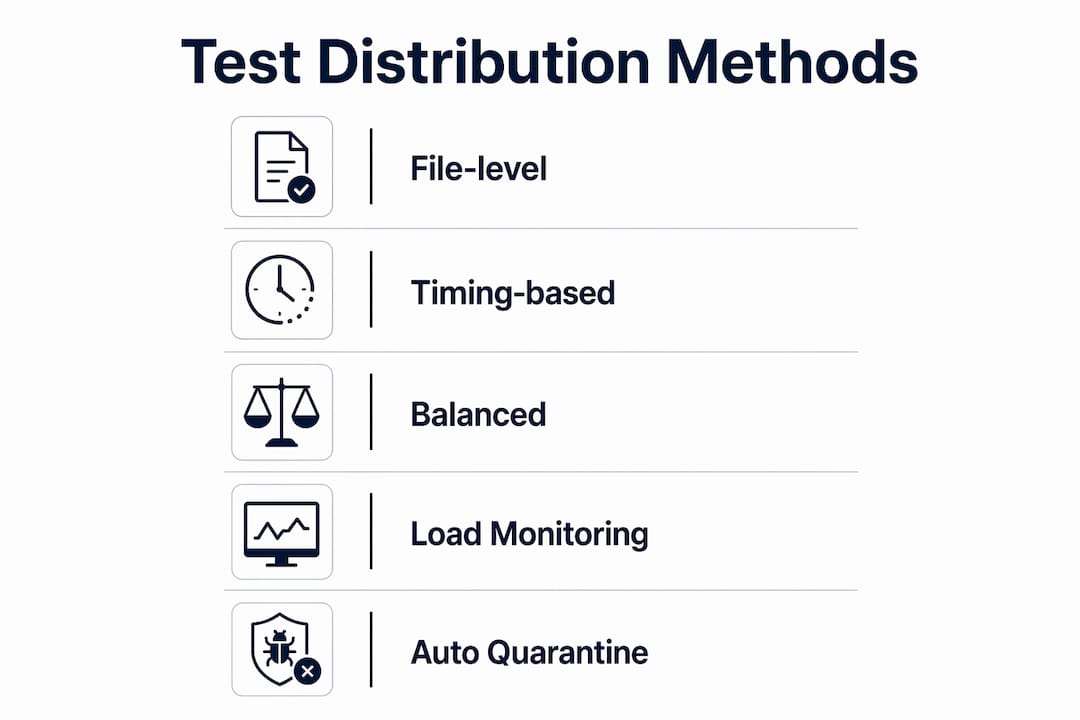
The solution is timing-based distribution. Elite teams collect historical execution data for each test and group tests so that each shard has a roughly equal total duration. This approach aligns worker finish times and eliminates idle capacity. The difference between naive file-level splitting and timing-based grouping can be the difference between a 10-minute run and a 6-minute run on the same hardware.
The table below contrasts the three main distribution algorithms your team can choose from.
| Distribution method | How it splits work | Best suited for |
|---|---|---|
| File-level splitting | Divides by number of test files | Small, uniform suites |
| Test-level splitting | Divides by individual test count | Medium suites with varied file sizes |
| Timing-based grouping | Groups by historical test duration | Large suites with high duration variance |
Timing-based grouping requires a data store for historical run times, which most CI platforms now support natively through test result artifacts. The upfront investment in collecting that data pays back immediately in balanced shards.
Pro Tip: Monitor shard completion times after every pipeline run. If one worker consistently finishes 40% later than the others, your distribution algorithm needs rebalancing. Set a threshold and automate an alert.
How do you manage shared state and resource conflicts?
Hidden shared state is the hardest problem to retrofit into a suite built for sequential execution. Static variables, global configuration objects, singleton services, and shared file paths all become race conditions the moment two workers touch them at the same time.
The most reliable isolation techniques are:
- Database per worker. Provision a separate database instance or schema for each worker. Migrations run once per worker at startup. This eliminates the most common source of data conflicts.
- Transaction rollback. Wrap each test in a database transaction and roll it back after the test completes. This works well for unit and integration tests but not for tests that commit data as part of their assertion logic.
- Unique test data generation. Generate unique identifiers for every test entity at runtime. Never hardcode usernames, email addresses, or record IDs that two workers might create simultaneously.
- Port assignment by worker ID. Assign network ports dynamically using the worker index. A worker with ID 3 binds to port 3000 plus 3, for example. This prevents port collision without manual configuration.
- Avoid global state entirely. Refactor any test that reads or writes a static variable. If the variable must exist, scope it to the test class or use dependency injection to provide a fresh instance per test.
The most common pitfall teams encounter is assuming their ORM or test framework handles isolation automatically. It does not. You must configure it explicitly.
Pro Tip: Quarantine any test that fails more than once in parallel but passes in sequential mode. That pattern is the signature of a shared-state conflict. Treat it as a blocking defect, not a flaky test to retry.
How do you measure and scale parallel execution effectively?
Measurement is what separates teams that sustain parallel testing gains from teams that watch those gains erode over months. Three KPIs matter most: total execution time per pipeline run, flaky test rate, and mean time to repair a failing test.
Over-parallelization causes performance degradation when workers exceed the physical resource capacity of your CI environment. Starting with 4 workers and benchmarking before adding more is the correct approach. Adding workers past the point of resource saturation increases execution time rather than reducing it.
Scaling is also bounded by physics. Speed is limited by your longest-running test and by framework overhead, per Amdahl’s Law. No amount of additional workers will make a 3-minute test run faster. The correct response is to break that test into smaller, independent units.
Track these metrics consistently:
- Total suite duration per CI run, trended over time
- Flaky test rate as a percentage of total tests per week
- Worker utilization to detect idle capacity or resource contention
- Mean time to repair for tests that enter a failing state
- Shard balance ratio to measure how evenly work is distributed
Flakiness is the silent ROI killer of any parallel testing program. A zero-tolerance flakiness policy with auto-quarantine on first failure and a 48-hour SLA for fixes keeps your pipeline trustworthy. Teams that tolerate flaky tests in parallel runs quickly lose confidence in their CI results entirely.
The automation pyramid for 2026 targets 70% unit tests, 20% API tests, and 10% UI tests, with PR feedback delivered in under 5 minutes. That ratio exists precisely because unit tests parallelize cheaply and UI tests carry the highest per-test overhead. Aligning your functional test automation mix to this pyramid gives parallelism the most favorable conditions to deliver speed.
Key Takeaways
A parallel test execution strategy delivers its maximum benefit only when tests are independent, resources are isolated, and workload distribution is based on historical timing data rather than file count.
| Point | Details |
|---|---|
| Test independence is the foundation | Atomic, self-contained tests with no shared state are required before parallelism works reliably. |
| Timing-based distribution beats file splitting | Group tests by historical duration to balance shard finish times and eliminate idle workers. |
| Over-parallelization hurts performance | Start with 4–8 workers and benchmark before scaling; adding workers past resource capacity increases run time. |
| Flaky tests need a policy, not a retry | Auto-quarantine failing tests and enforce a 48-hour fix SLA to maintain pipeline trust. |
| Measure three KPIs consistently | Track total execution time, flaky test rate, and mean time to repair to sustain gains over time. |
What I’ve learned from watching teams implement parallel testing
Most teams approach parallel execution as a configuration problem. They add workers, flip a flag in their CI YAML, and expect the gains to appear. The ones that succeed treat it as an architecture problem first.
The teams I’ve seen get the most out of parallelism are the ones that design for independence before they write a single test. Retrofitting independence into a sequential suite is genuinely painful. Hidden shared state surfaces in ways that are hard to trace, and the debugging time often exceeds the time saved by parallelism in the short term.
The other trap I see consistently is chasing maximum concurrency instead of consistent execution speed. Adding 20 workers when your environment supports 8 does not make your suite faster. It makes it noisier and harder to debug. The goal is a predictable, repeatable run time, not the lowest possible number on a good day.
Flaky tests deserve more respect as a threat. A 5% flaky test rate in a parallel suite of 1,000 tests means 50 tests that cannot be trusted. That erodes confidence in the entire pipeline, and teams start ignoring red builds. Once that happens, the value of your CI system collapses. Treat flakiness as a first-class defect from day one.
— STF
Test management tools that support parallel execution workflows
QA teams running parallel test execution need more than a fast test runner. They need a test management layer that tracks results across concurrent runs, maintains traceability back to Jira issues, and gives visibility into which tests are flaky across parallel shards.

Software Testing Front covers the full range of test management tools for 2026, including Jira-native options like Vansah Test Management for Jira and Xray Test Management for Jira. Both tools integrate directly with CI/CD pipelines and surface parallel run results inside Jira, so your team never loses traceability when tests run concurrently. If your current tooling cannot report across parallel workers or link results to Jira tickets, that gap is worth closing before you scale.
FAQ
What is a parallel test execution strategy?
A parallel test execution strategy runs multiple tests simultaneously across separate workers to reduce total suite duration. It requires atomic, independent tests and isolated resource environments to work correctly.
How much time can parallel testing save?
Elite teams have reduced execution time by up to 88%, cutting 45-minute suites to under 8 minutes. Actual savings depend on suite size, test independence, and worker configuration.
What causes flaky tests in parallel execution?
Flaky tests in parallel runs almost always trace back to shared state, such as a common database record, a static variable, or a hardcoded port that two workers access simultaneously.
How many parallel workers should a team start with?
Start with 4 workers and benchmark before adding more. Adding workers past your environment’s physical resource capacity increases run time rather than reducing it.
How does test distribution affect parallel performance?
Splitting tests by file count without timing data creates imbalanced shards where one worker finishes much later than the others. Timing-based grouping using historical run data aligns worker finish times and eliminates idle capacity.
Recommended
- Types of Test Management Tools: Your 2026 QA Guide – Software Testing Front
- Integration Testing Setup Guide for QA Teams in 2026 – Software Testing Front
- Test Case Management Best Practices: 2026 QA Guide – Software Testing Front
- Why Test Automation Fails: A 2026 Guide for QA Teams – Software Testing Front


