
Integration Testing Setup Guide for QA Teams in 2026

Integration testing is the practice of verifying that two or more software components work correctly when connected together. A solid integration testing setup guide gives QA engineers and developers a repeatable process for catching bugs that unit tests miss entirely. Tools like Testcontainers, Docker Compose, and WireMock have made it practical to run real, isolated environments on every CI build. This article covers the prerequisites, step-by-step configuration, CI/CD best practices, and troubleshooting strategies you need to build a reliable integration test framework from scratch.
What are the prerequisites and tools needed for a modern integration testing setup?
Every integration testing setup starts with the right toolchain. Choosing the wrong tools early creates technical debt that compounds as your test suite grows.
Core tools and their roles:
- Docker and Docker Compose: Spin up multi-service environments locally and in CI. Docker Compose handles service dependencies, networking, and startup order in a single configuration file.
- Testcontainers: A library available for Java, Node.js, Python, and Go that programmatically launches Docker containers inside your test code. Ephemeral containers via Testcontainers reduce flaky tests by 80–90% by giving every test run a clean, isolated environment.
- WireMock: A mock server for HTTP-based APIs. Use it to stub third-party services so your tests never depend on external network calls.
- Flyway or Liquibase: Database migration tools that apply schema changes automatically. Running the same migration scripts in integration tests as in production keeps your schema valid and prevents drift.
- GitHub Actions (or any modern CI platform): Supports Docker natively and provides environment variables, secrets management, and service containers with health checks.
| Tool | Primary purpose | Language support |
|---|---|---|
| Testcontainers | Ephemeral container management | Java, Node.js, Python, Go |
| Docker Compose | Multi-service orchestration | Language agnostic |
| WireMock | HTTP API mocking | Java, standalone server |
| Flyway | Database schema migration | JVM, CLI |
| Liquibase | Database schema migration | JVM, CLI |
| GitHub Actions | CI/CD pipeline execution | Language agnostic |
Pro Tip: Install Docker Desktop locally and mirror your CI Docker version exactly. Version mismatches between local and CI Docker engines cause container startup failures that are difficult to reproduce.
Before writing a single test, confirm that Docker is running, your CI runner has Docker access, and your database migration tool is wired into the test lifecycle. Skipping any of these steps produces environment-specific failures that waste hours of debugging time.

How to implement containerized integration testing step by step
Containerized integration testing follows a consistent pattern regardless of language. The goal is to start a real database, apply migrations, run tests, and tear everything down automatically.
Step-by-step setup:
Add Testcontainers to your project. For Java, add the
testcontainersandpostgresqlmodules to your Maven or Gradle build file. For Node.js, install thetestcontainersnpm package. For Python, usetestcontainers-pythonvia pip.Define a container in your test setup. In Java with Spring Boot, declare a
PostgreSQLContaineras a static field so it starts once per test class. Annotate the class with@Testcontainersand@Container. In Node.js, callnew PostgreSqlContainer("postgres:15").start()inside abeforeAllblock.Pass container connection details to your application. Override your database URL, username, and password with the values Testcontainers provides at runtime. In Spring Boot, use
@DynamicPropertySourceto inject these values before the application context loads.Run database migrations automatically. Configure Flyway or Liquibase to execute on startup. This guarantees your test schema matches production exactly, which is the most commonly skipped step in setup for integration tests.
Write your test. Call your service layer or HTTP endpoints directly. Assert on real database state, not mocks. This is what separates integration tests from unit tests.
Clean up after each test. Reset state between tests to prevent data leakage. Truncation is faster than dropping tables.
Tear down the container. Testcontainers handles this automatically when the JVM exits or the test class finishes, so you do not need manual cleanup code.
| Step | Action | Tool used |
|---|---|---|
| Container startup | Launch PostgreSQL container | Testcontainers |
| Schema setup | Apply migrations | Flyway or Liquibase |
| Test execution | Call service, assert DB state | JUnit, Jest, pytest |
| State reset | Truncate tables between tests | SQL or test hook |
| Container teardown | Auto-stop on test completion | Testcontainers |
Pro Tip: Use @ActiveProfiles("test") in Spring Boot to load a test-specific application properties file. This prevents your integration tests from accidentally connecting to a shared development database.
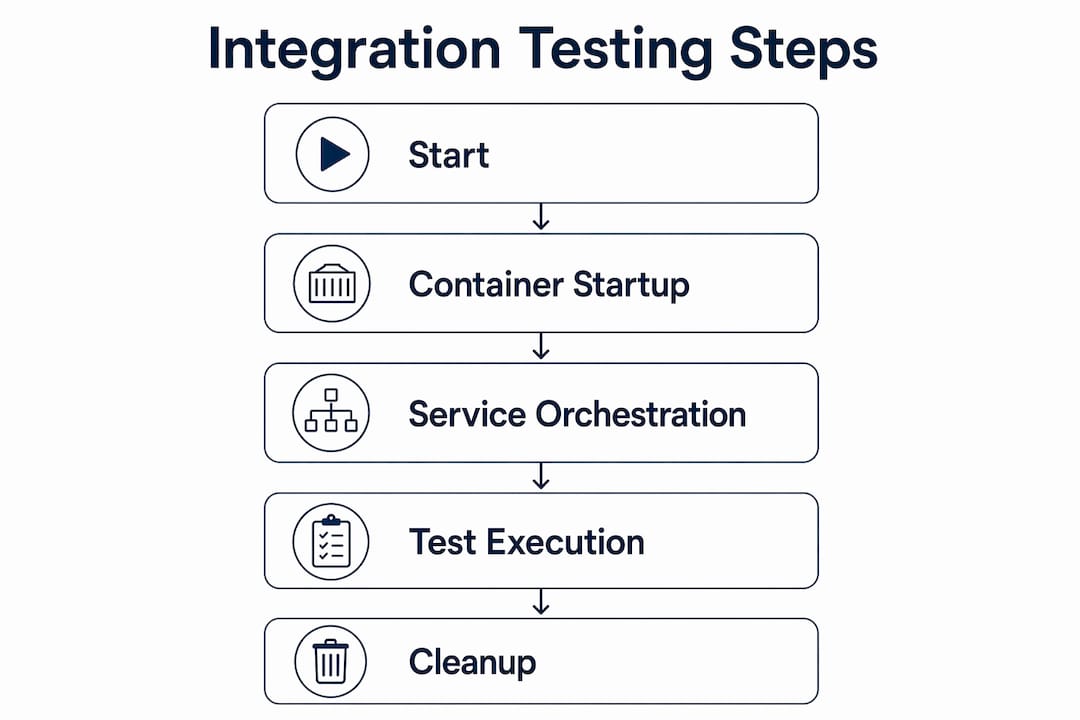
For multi-service scenarios, Docker Compose handles orchestration better than Testcontainers alone. Define your API server, database, and message broker in a docker-compose.test.yml file. Run docker compose up before your test suite and docker compose down after. This approach mirrors how to perform integration testing in production-like conditions without a full staging environment.
What are best practices for running integration tests reliably in CI/CD pipelines?
CI/CD is where integration tests either prove their value or become a liability. Unreliable tests in CI destroy developer trust faster than no tests at all.
Key practices for stable CI integration:
- Set explicit health checks for every service container. Health-check wait strategies prevent test failures caused by premature connections. Use
pg_isreadyfor PostgreSQL andredis-cli pingfor Redis before your test runner starts. - Mock all external third-party API calls. 100% of external API calls during integration tests should be mocked or stubbed. WireMock runs as a standalone server or embedded in your test process. Unmocked external calls introduce network latency and rate limits that make tests non-deterministic.
- Separate unit tests, integration tests, and end-to-end tests into distinct test suites. Maintaining this separation avoids massive maintenance overhead and prevents slow integration tests from blocking fast unit test feedback.
- Run integration tests in parallel where possible. Parallel test execution with isolated network environments reduces feedback loop times by 50–70%. Each parallel worker needs its own container instance to avoid port conflicts.
- Cache Docker images in CI. Pulling a PostgreSQL or Redis image on every build adds minutes to your pipeline. GitHub Actions supports Docker layer caching natively.
| CI/CD practice | Benefit | Implementation |
|---|---|---|
| Service health checks | Prevents premature connections | pg_isready, redis-cli ping |
| API mocking with WireMock | Eliminates flaky external calls | Standalone or embedded server |
| Test suite separation | Reduces maintenance burden | Separate Gradle tasks or npm scripts |
| Parallel execution | Cuts feedback time by 50–70% | Matrix builds in GitHub Actions |
| Docker image caching | Reduces pipeline duration | GitHub Actions cache action |
Pro Tip: Tag your integration tests with a custom annotation or marker (such as @Tag("integration") in JUnit 5 or pytest -m integration) so you can run them separately from unit tests in CI without modifying build files.
The biggest mistake teams make in CI is treating integration tests as an afterthought. Build your pipeline so integration tests run on every pull request, not just on main branch merges. Catching integration failures before merge is the entire point of the exercise.
How to troubleshoot common integration testing challenges
Even well-configured integration test environments fail. Knowing where to look cuts debugging time significantly.
Common failure patterns and fixes:
- Flaky tests from race conditions: The container started, but the service was not ready. Add explicit wait strategies. Testcontainers provides
waitingFor(Wait.forHealthcheck())andwaitingFor(Wait.forLogMessage(...))out of the box. - Stale data between tests: A previous test wrote records that the next test did not expect. Use a
@BeforeEachhook to truncate tables. Truncating with restart identity cascade cleans state faster than dropping tables and keeps primary key sequences consistent. - False positives from in-memory databases: Tests pass locally against H2 but fail in production against PostgreSQL. In-memory databases like H2 produce false positives because they do not enforce the same SQL dialect or constraints as production engines. Replace H2 with a Testcontainers PostgreSQL instance.
- Docker resource exhaustion in CI: Too many parallel containers consume all available memory. Set explicit memory limits in your Docker Compose file and monitor CI runner resource usage. Reduce parallelism if builds start failing with out-of-memory errors.
- Schema drift: Your test database schema is out of sync with production. This happens when developers add migrations without running the full migration suite in tests. Flyway’s
validatecommand detects this before tests run.
The most expensive integration test bug is the one that passes in CI and fails in production. Real containers with real database engines are the only way to close that gap.
Pro Tip: Limit parallel test workers to the number of available CPU cores on your CI runner. Running more workers than cores creates context-switching overhead that slows tests down rather than speeding them up.
A useful troubleshooting checklist: confirm Docker is running, verify the container started before the test runner, check that migrations completed without errors, confirm no leftover data from a previous test, and verify that all external API calls are mocked. Working through this list in order resolves the majority of integration test failures without deep investigation.
Key takeaways
A reliable integration testing setup requires containerized environments, proper migration management, and strict test isolation at every stage of the pipeline.
| Point | Details |
|---|---|
| Use Testcontainers for isolation | Ephemeral containers eliminate shared state and reduce flaky tests by 80–90%. |
| Run real database engines | Replace H2 with PostgreSQL containers to catch dialect-specific bugs before production. |
| Apply migrations in every test run | Flyway or Liquibase keeps your test schema synchronized with production automatically. |
| Mock all external API calls | WireMock stubs third-party services so tests produce deterministic results every time. |
| Separate test types in CI | Keep unit, integration, and end-to-end tests in distinct suites to protect feedback speed. |
Integration testing is faster than you think
The most persistent myth about integration testing is that it is inherently slow. Teams avoid setting up proper integration tests because they assume the feedback loop will be too long for agile workflows. That assumption is wrong.
With Testcontainers and test slice techniques, integration tests can run nearly as fast as unit tests. A Spring Boot @DataJpaTest slice starts only the persistence layer, not the full application context. That single change cuts startup time from seconds to milliseconds. I have seen teams go from 8-minute integration test runs to under 90 seconds by combining test slices with parallel execution.
The second misconception is that you need a full staging environment to run meaningful integration tests. You do not. Lightweight container orchestration replaces heavy staging environments with throwaway containers that start fresh on every run. This approach is cheaper, faster, and more reliable than any shared staging server I have worked with.
The future of integration testing in DevOps and microservices is contract testing combined with containerized component tests. Tools like Pact let teams verify service contracts independently, while Testcontainers handles the infrastructure. Teams that invest in this combination now will spend far less time debugging production incidents caused by integration failures. For deeper reading on testing strategy, the software testing fundamentals covered by Paul Ammann provide the conceptual foundation that makes these practical choices easier to justify.
FAQ
What is integration testing in software development?
Integration testing verifies that multiple software components work correctly when connected together. It sits between unit testing and end-to-end testing in the standard testing pyramid.
What tools are best for integration test setup?
Testcontainers, Docker Compose, WireMock, and Flyway are the most widely used tools for a modern integration testing setup. They handle containerization, service orchestration, API mocking, and schema migration respectively.
How do I prevent flaky integration tests in CI?
Set explicit health checks for every service container and mock all external API calls. Testcontainers provides built-in wait strategies like waitingFor(Wait.forHealthcheck()) that prevent premature connections.
Should I use H2 or a real database for integration tests?
Use a real database engine via Testcontainers. H2 produces false positives because it does not enforce the same SQL dialect or constraints as PostgreSQL or MySQL, meaning bugs slip through to production.
How do I clean database state between integration tests?
Truncate tables with the restart identity cascade option after each test. This method is faster than dropping and recreating tables and keeps primary key sequences consistent across test runs.
Recommended
- Software Testing Front – Testing Resources along with popular Jira Testing Apps
- Insights – Software Testing Front
- Unleashing the Power of Jira: Top 5 Testing Tools for Seamless QA Integration – Software Testing Front


